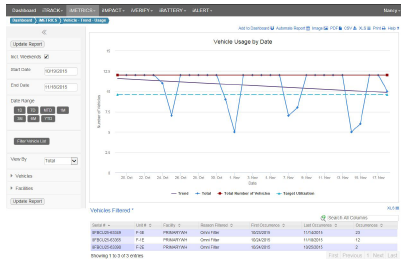
GATEWAY screens resize, either by choice or because of the device being used. The information on the screen collapses and expands to accommodate the current screen size.
The example full sized screen below shows all Dashboard filters, reports, and tabs.
The example narrow sized screen below is typically seen on Smart Phones.
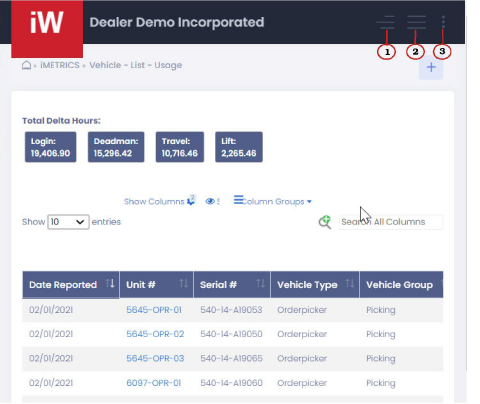
The numbers in the example above correspond to the numbers below:
1.Expands the Filter pane.
2.Expands the module navigation options.
3.Expands the options under the user’s name.
Related Links
•Zoom