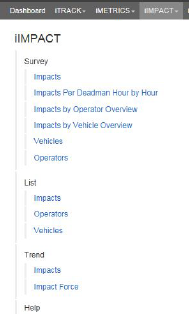
A Landing page is basically a module’s menu list with all the sub entries expanded and displayed vertically. This design enables you to see all the reports for a module at one time. Landing pages are accessible from the breadcrumbs within each report.
To access a Landing page for a module:
1.Open a report that has breadcrumbs.
2.Click the module name in the breadcrumbs. In the example below you would have clicked Impacts in the breadcrumbs. The landing page opens.
3.Each report name on the Landing page is a link to that report. To return to the previous report or to open a new report, click the corresponding report link.
Related Links
•Zoom